For Shopify storesMade to order, preorders, ship days

Ship every order on its day.

ShipNoDrama works out the day each order can really ship, holds it in Shopify until then, and shows customers that same day before they buy. No early packing, no guesswork, no drama.

Free to set up and try. Paid plans from $9.99/month with a 14-day free trial, billed through Shopify.

Example · A bowl, made to order, ordered Tuesday at 11:00 AM

What everyone sees

  • Product pageOrder within 3 h to ship Thursday, Oct 29 · Only 2 spots left to ship Thursday
  • Thank-you pageShips Thursday, Oct 29 · You're #3 in line for Made to order
  • Order #1068 in ShopifyOn hold · ShipNoDrama: ships Thursday, Oct 29

How ShipNoDrama got there

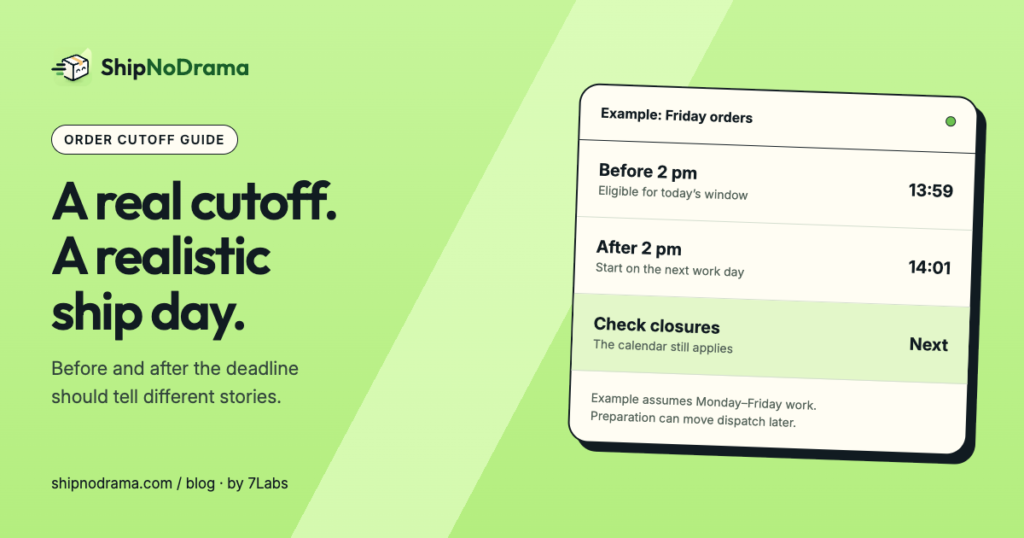
  1. Ordered at 11:00 AM, before your 2:00 PM last order time
  2. The bowl is in Made to order: 7 working days
  3. It's ready on Thursday, Oct 29, a ship day
  4. Thursday has room: 2 of 4 left
  5. Held in Shopify, released on the morning of Oct 29

Ship days

Every reason an order can't ship today.

Start with the days you ship. Then put the products that take longer into groups, and say what's different about each one.

Your ship days

The days parcels leave, your last order time and your days off. Upcoming holidays are one click. Every other product ships on your next ship day.

Made to order

How many working days a product takes to make or pack. A bowl that takes 7 working days ships 7 working days after the order.

Preorders

The day they come in. Orders wait until then, and a cart with two preorders ships on the later day.

Set ship days

Products that only ship on some days, like frozen food Monday to Wednesday, so nothing sits in a depot over the weekend.

Someone checks first

Engraving, custom work, anything that needs a look. Those orders wait until someone presses Release now.

Daily limits

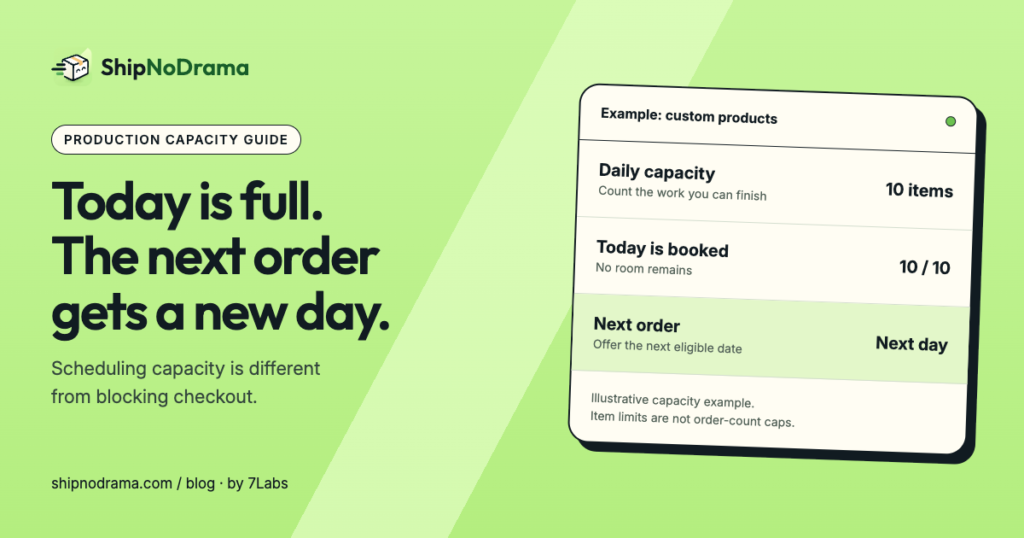
Say how many you can finish a day. Once a day is full, new orders get the next day with room.

Order holds

Orders wait in Shopify until their day.

Each order that can't ship yet gets a fulfillment hold with its ship day as the note, and is released on that day. Nobody packs a preorder too early.

Today's sheet

What ships today, what to start making so it's ready on its day, and what waits for your OK. Print it for the packing table.

Released on its day

On the ship day the hold comes off by itself and the order is ready to pack. Orders that can ship today are never held.

Step in when you need to

Release an order now, move the day it's released, or keep it until you say so.

Send what's ready now

Ship a mixed order together on the later day, or split it in Shopify so the ready part goes today.

How full the next days are

For groups with a daily limit. Once a day is full, new orders get the next day with room.

What customers see

The same day, before and after they buy.

It's the day ShipNoDrama holds the order until, so what customers read is what really happens.

Before they buy

A block under the price shows the ship day, a countdown to your last order time, spots left for the day and holiday order-by dates. A holiday bar can go on every page — top, under the header, or at the bottom.

After they order

The thank-you and order status pages show the order's ship day and, for products with a daily limit, its place in line.

When a day moves

After 15 minutes, in case you undo, ShipNoDrama starts a Shopify Flow trigger with the old and new day, so your email app can tell the customer.

The app

Inside your Shopify admin.

ShipNoDrama opens in Shopify, with no separate login. These screens use a demo store with made-up products and orders.

Home

Always know what's next.

Five steps that tick off as you go, every setting checked together, and the one thing to do next.

ShipNoDrama Home: all five setup steps done, holding orders until their ship day, and what to do next
Step 1

Your days, your last order time.

Tick the days parcels leave, set your last order time and add days off. It says what that means for an order placed now.

Ship days: Monday to Friday ticked, last order time 2:00 PM, and an order placed now ships today
Step 2

Products that take longer.

Made to order with a daily limit, a preorder, frozen food Monday to Wednesday, and engraving checked by hand.

Product groups: Made to order at 4 a day, a winter glaze preorder, Frozen shipping only Monday to Wednesday, and Engraving waiting to be released
Step 3

The day, before they buy.

What each kind of product says on your store right now, with countdowns, spots left and Christmas order-by dates.

What customers see: the ship day line for an ordinary product, made to order, a preorder and frozen food
Step 4

Try a cart first.

See the ship day any cart would get and how ShipNoDrama got there, with what checkout would charge.

Try a cart: two made-to-order items get Wednesday, Nov 4 because Tuesday is full, with checkout prices and each step explained
Every day

Today's sheet.

What ships today, what to start making and what waits for your OK, then how full the next days are.

Orders: two orders ship today, two made-to-order orders to start making, one waiting for an OK, and how full the next days are
Optional

Checkout rates by zone.

Zones by country, state and postal code, each with its own methods and prices.

Checkout rates: an Alaska and Hawaii zone with an Express method, above a United States zone

No drama

A promised day stays promised.

Ship days touch every order and every customer, so ShipNoDrama is careful about when they change.

Starts on the sandbox

Set up and try everything for free. Nothing reaches orders, your store or checkout until you pick a plan and press Start holding orders.

A day stays a day

A lower limit or a slower group never moves orders already placed. An order moves only when its day can't happen, and never earlier.

Only its own holds

Holds from Shopify's fraud check, other apps or your staff are never touched.

Everything checked

Home reads all your settings together and flags what looks wrong, like a product in two groups.

Undo any change

Every save keeps a version. Go back from History, and see who changed what.

Test carts kept

Save test carts and they're marked whenever a change moves their prices.

Checkout rates, optional

Price shipping too, if you want.

ShipNoDrama can also set your checkout rates, and checkout shows each method's ship day next to its price.

Zones

Countries, states or provinces, and postal codes. The first zone that covers an address prices it, so remote postcodes go above the rest.

Flat price

One price whatever is in the cart, like $9.95 for Standard.

First items, then per item

$9 covers the first 2 items, then $3 each: 5 items cost $18.

By package weight

Up to 5 lb $20, up to 10 lb $30. Heavier carts are charged as extra packages.

Each exact quantity

A price for 1, 2 or 6 items, the way a case or a gift box is priced.

Rate rules

Free shipping over $100, surcharges, handling fees per product group, or hide a method for some products.

Shopify lets apps set checkout rates on the Advanced plan or higher, the Shopify plan billed yearly, or with its paid add-on. Everything else on this page works on any Shopify plan.

Setup

Five steps. Then it runs itself.

Set up, in a few minutes

  1. Ship days

    Tick the days your parcels leave and set your last order time. Holidays are one click.

  2. Product groups

    Made to order, preorders, set ship days or someone checks first. Pick products, or use a tag.

  3. What customers see

    Place the ship day block on your product page, and on the thank-you and order status pages.

  4. Try a cart

    See the ship day any cart would get, step by step.

  5. Go live

    Press Start holding orders. Each new order waits in Shopify until its day.

Then, every day

  1. Check today's sheet

    What ships today, what to start making, and what waits for your OK.

  2. Pack what's released

    Holds come off on the ship day, checked every 10 minutes. Release now when you need an order sooner.

  3. Let days move only when they must

    Add a day off and the orders on it move to the next ship day. Shopify Flow hears about each one.

Want every setting explained first? The docs walk through each page, with examples. Questions: [email protected].

Pricing

Free to try. From $9.99 a month.

Set everything up on the Free Sandbox, then pick a plan when you're ready to hold real orders. Billed through Shopify, on your Shopify bill.

Free Sandbox

Try ShipNoDrama out

$0/ month

Set up and try

  • Set up and try every feature
  • Try a cart with step-by-step results
  • Save test carts and re-check them
  • Nothing goes live until you pick a plan
Get early access

Starter

Smaller stores

$9.99/ month

14-day free trial

  • Hold orders until their ship day
  • Ship days, last order time, days off
  • Up to 3 product groups
  • Ship day on product and order pages
  • Basic checkout rates, up to 5 rules
  • Sized for about 100 orders a month
Get early access
Recommended

Growth

Made to order, set ship days, busy seasons

$29.99/ month

14-day free trial

  • Everything in Starter, 25 groups
  • Daily limits per product group
  • Ship what's ready now, the rest later
  • Countdown and holiday order-by dates
  • Six Shopify Flow triggers
  • All rate options, 30 rules, reports
  • Sized for about 500 orders a month
Get early access

Pro

Higher volume, complex setups

$59.99/ month

14-day free trial

  • Everything in Growth, 50 groups
  • 100 rate rules, 13 months of reports
  • Activity log and order timelines
  • Reports export to CSV
  • Sized for about 2,500 orders a month
  • Priority support
Get early access

Plans are sized by the orders ShipNoDrama manages a month. Going over never stops anything and is never charged; you'll see a note suggesting a bigger plan.

FAQ

Good to know.

How does ShipNoDrama hold an order?
Each new order that can't ship yet gets a fulfillment hold in Shopify, with its ship day as the note, for example "ShipNoDrama: ships Thursday, Oct 29". On that day ShipNoDrama releases the hold and the order is ready to pack as usual. Orders that can ship today are never held.
Will it touch holds from other apps or my fraud check?
No. ShipNoDrama only ever releases its own holds. Holds from Shopify's fraud check, other apps or your staff stay as they are. If someone releases ShipNoDrama's hold in Shopify, it leaves that order alone from then on.
What happens when a ship day can't happen?
Once an order has its day, it keeps it: lowering a daily limit or changing how long a group takes only affects new orders. An order moves only when its day can't happen any more, for example when you add that day as a day off. It then goes to the nearest later ship day, never earlier, and its hold note in Shopify changes too.
How do customers hear about a new day?
ShipNoDrama waits 15 minutes in case you undo the change, then starts the "Ship date changed" trigger in Shopify Flow with the order, the old and new days and the reason. Build a workflow from it that emails or texts the customer through your email app; ShipNoDrama never contacts customers itself, and telling them is up to you. The order status page always shows the current day.
Where do customers see the ship day?
On the product page, with a block you place under the price in your theme editor, and in an optional holiday bar on every page. In the theme editor you choose where the bar sits: top of the page, pinned while scrolling, under the header, or at the bottom of the screen. After they order, on the thank-you and order status pages. Your theme needs to support app blocks, as Online Store 2.0 themes do.
Can I ask Sidekick about ship days?
Yes. Where Shopify's Sidekick is in your admin, ask things like "When does order #1001 ship?" or "Why isn't my holiday bar showing?" ShipNoDrama answers from your settings and orders. It only reads. To change something, use the link in the answer — it opens the right page in the app.
Can I try it before it touches my orders?
Yes. ShipNoDrama installs on the Free Sandbox: set up and try carts; nothing waits in Shopify and customers don't see ship days until you pick a paid plan and press Start holding orders.
Do I need checkout rates?
No, they're optional. Holds and ship days work on every Shopify plan. Shopify only lets apps set checkout rates on the Advanced plan or higher, the Shopify plan billed yearly, or with its paid add-on. With rates on, checkout shows each method's ship day too.
Which orders can't it hold?
Orders a separate warehouse or shipping service packs for you, orders that are already being packed, and local pickup. Sending what's ready now as a separate parcel works for orders shipped from your own locations.
Does it buy labels or track parcels?
No. It decides the day an order may ship and shows customers that day. Labels, carriers and tracking stay with the tools you use now.
What if I change plans or leave?
Changing plans never deletes settings: anything a plan doesn't cover is kept and switches on again when you upgrade. Orders already on hold keep their day and are released on it. Before uninstalling, press Release them all on Orders so nothing stays on hold. Shopify asks for your data to be deleted 48 hours after you uninstall, and it is.
How is billing handled?
Through Shopify, on your Shopify bill. The Free Sandbox is free. Starter is $9.99, Growth $29.99 and Pro $59.99 a month, each with a 14-day free trial. Plans are sized by the orders ShipNoDrama manages a month (about 100, 500 and 2,500); going over never stops anything and is never charged.
What data does ShipNoDrama keep?
Your settings, and for each order its number, products and the days ShipNoDrama works out. No customer names, emails, phone numbers or addresses. Order records are deleted after 13 months.

From the blog

Make your next ship day simpler.

All guides ↗

No early packing. No missed days.
No drama.

Ship days, made to order, preorders and daily limits for Shopify, with the same day on every page your customers see.

Questions? [email protected]