Setup tutorial
Ship frozen food Monday to Wednesday on Shopify: a setup tutorial
Configure Monday-to-Wednesday dispatch for frozen products on Shopify, keep other products on their normal calendar, and test mixed carts before launch.
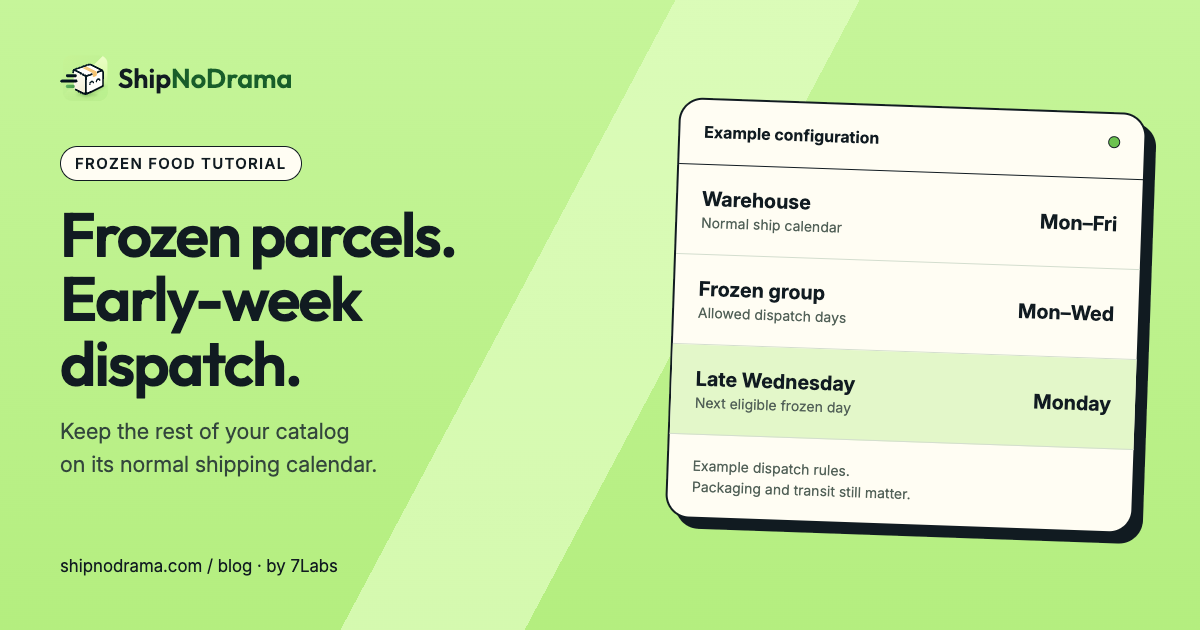
A frozen-food seller may be able to pack parcels every weekday but avoid Thursday and Friday collections. A mug in the same store does not need that restriction. Putting the entire store on a three-day shipping calendar would delay the mug unnecessarily.
This recipe uses a store-wide calendar plus a narrower product group. We make ShipNoDrama; these instructions describe its current controls. The example assumes you pack and fulfill from your own location. Product-group scheduling and live holds need Starter or above; the optional split and advanced-rate features below need Growth or Pro.
The configuration to copy
| Setting | Example value |
|---|---|
| Ship days → Days you ship | Monday–Friday |
| Last order time | 14:00, warehouse time zone |
| Days you work | Monday–Friday |
| Product group | Frozen; tag frozen |
| What’s different about them? | They can only ship on some days |
| Which days can they ship? | Monday, Tuesday, Wednesday |
Set the calendar and assign the products
- Open Ship days. Set your normal warehouse ship days and cutoff. Under More options, confirm the days your team works. Leave Days every order needs before it can ship at 0 for this example.
- In Shopify, add the tag
frozento the intended products. In Product groups, add a group named Frozen. Choose They can only ship on some days, select Monday to Wednesday, and choose the tag under Or every product with this tag. Save. - Check Home for overlapping groups. A second matching group can determine the product’s behavior; do not assume two group cards combine their settings.
- In What customers see, enable the ship day and add the Ship date block to the active product template. Save the theme editor as well as the app settings.
What an order should do
With no closures, preparation or capacity limit, a frozen order placed Wednesday, January 6, 2027 at 13:00 is eligible for Wednesday dispatch. The same order at 15:00 counts from Thursday and moves to Monday, January 11, the next allowed frozen ship day. A mug ordered alone on Thursday before the cutoff can still ship Thursday.
For a frozen box plus a mug, Wait, and ship everything together makes the mug wait until Monday too. If you intentionally want the ready mug sent first, the alternative Send what’s ready now, and the rest later is available on Growth/Pro for supported merchant-managed fulfillments. Budget for two shipments and check the checkout total separately.
Run these checks before holding real orders
- Use Try a cart with Wednesday 13:00 and 15:00, a Thursday order, a mug-only cart and a mixed cart. Read the explanation, not just the final date.
- Add a Monday day off temporarily. The late-Wednesday frozen cart should move to Tuesday. Undo the test closure afterward.
- If checkout rates are enabled, optionally restrict Frozen to a suitable Express method and add an ice-pack handling fee under the group’s Checkout rates options. Those controls affect ShipNoDrama’s rates; they do not hide an eligible native Shopify method.
- After agreeing to the Terms and choosing the appropriate plan, review Go live and press Start holding orders. Place a controlled test order and inspect its fulfillment hold.
Questions and useful boundaries
Does Monday dispatch guarantee safe delivery?
No. Choose packaging and a carrier service suitable for the product and destination. This calendar does not measure temperature or prevent a carrier delay.
Will this control a third-party cold-storage warehouse?
ShipNoDrama cannot hold fulfillments managed by a separate fulfillment service. Confirm who owns the fulfillment before adopting this workflow. For the underlying timing distinction, read processing time versus shipping time.